
Expenses
Rent, salaries, electricity: record them once and they count every month.
- Open Expenses from the side menu and tap Add expense.
- Type what it is for, choose the Type (Rent, Salaries, Electricity, water & gas, Maintenance, Marketing or Other), and type the amount and the date.
- Switch on Repeats every month for things like rent and salaries. It is counted every month until you stop it.
- Tap Save.
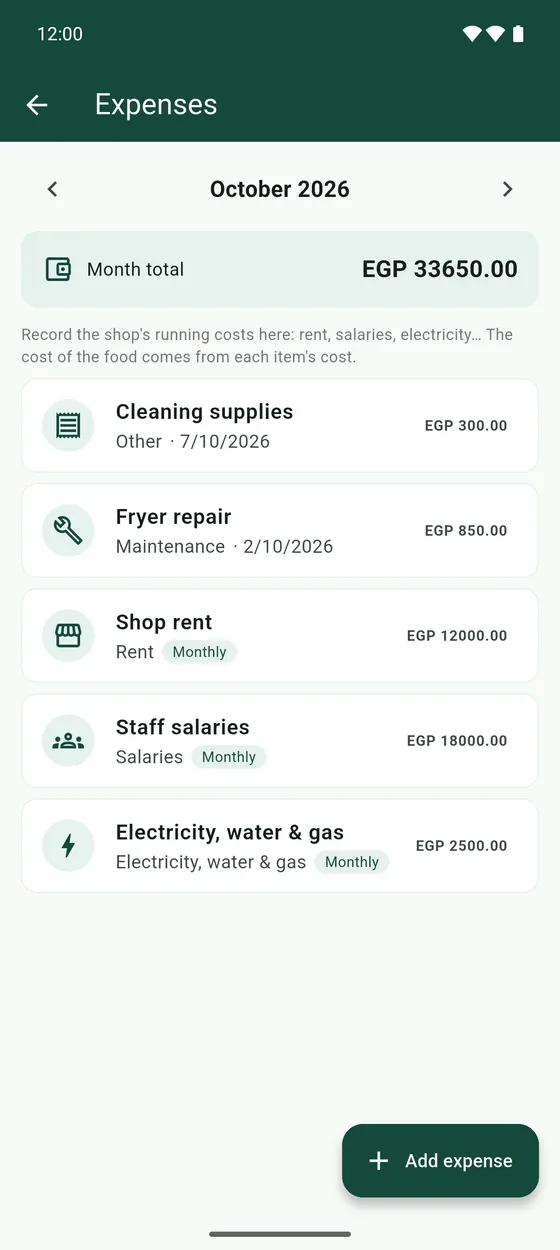
- Use the arrows at the top to move between months.
- Tap an expense to edit it, delete it, or Stop from today if it is monthly.
- Stopping keeps the past months as they were. Deleting a monthly expense removes it from every month.
- The cost of your food is not an expense. It comes from the cost of each item.