
How the app works
A two-minute tour: where everything is, and what to do on your first day.
Fawaterna runs your shop from your phone. You ring up sales, print receipts, serve tables, send deliveries, and see what you really earn.
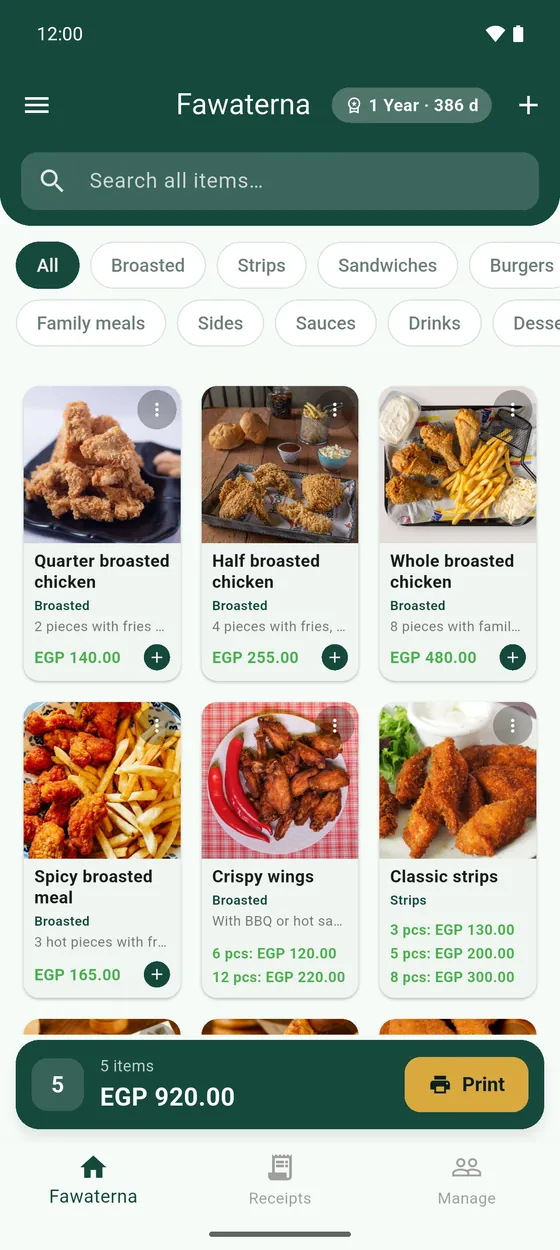
The three tabs at the bottom
- Fawaterna: the register. Your menu is here. Tap an item and it goes onto the current receipt.
- Receipts: every receipt you have made, kept apart by where it came from: in-house, tables or delivery.
- Manage: your clients, couriers, tables and the orders guests send from the QR menu.
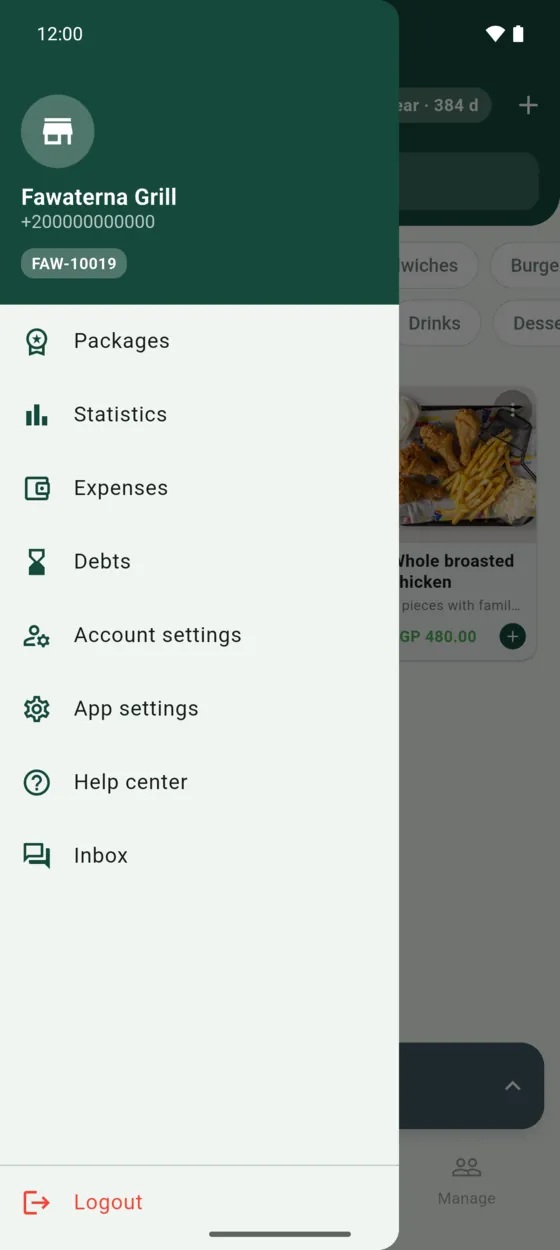
The side menu
Tap the menu button at the top corner of the screen. It holds what you open less often: Packages, Statistics, Expenses, Debts, Account settings, App settings, this help, and your Inbox for messages from us.
Your first day
- Add your categories and items. See Set up your menu.
- Connect your Bluetooth printer in App settings → Paired Bluetooth Printers, then do a test print.
- Tap an item, open the current receipt at the bottom, and tap Print.
- At the end of the day, open Statistics to see what you sold.