Sales and net profit
See what you sold, and what you really keep after costs and expenses.
Open Statistics from the side menu. Choose Today, This month, Last month or All time.
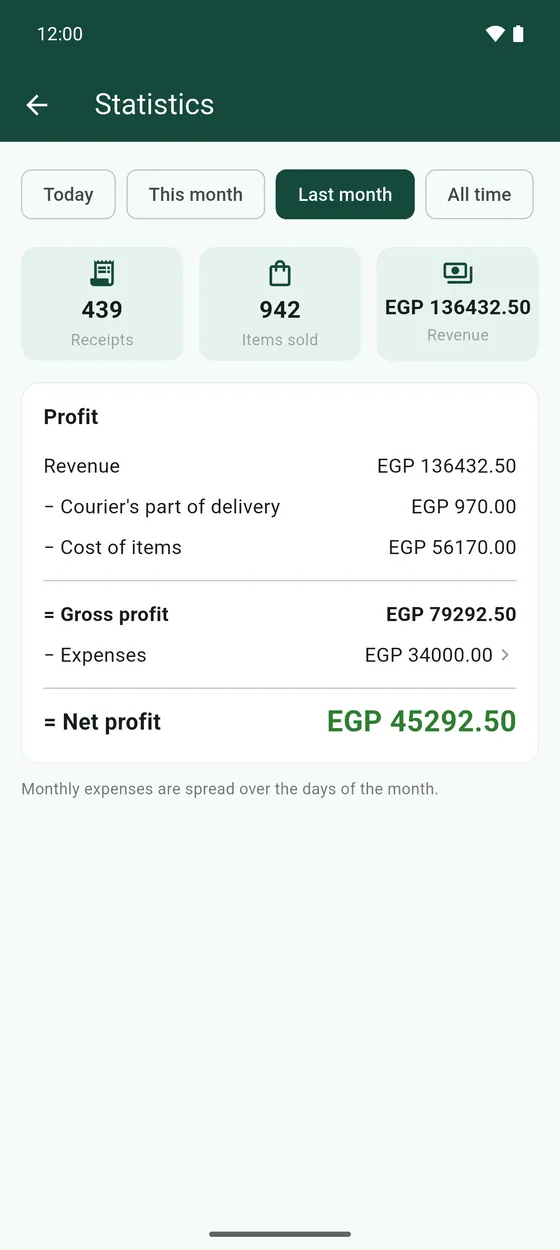
At the top you see how many Receipts you made, how many Items sold (tap it to see which ones), and your Revenue. Below is the Profit card, step by step:
- Revenue: everything your receipts charged.
- Tax collected: taken off, because it goes to the government. It shows only if you charge tax.
- Courier's part of delivery: the courier's share of delivery fees.
- Cost of items: what the items you sold cost you to make.
- Gross profit: what is left after those.
- Expenses: your rent, salaries and other costs for the same period. Tap it to see them.
- Net profit: what you actually keep.