
Your receipts
Find, print again, share or delete any receipt you made.
Every receipt is saved the moment you print it. Receipts keeps them apart by where they came from: In-house, Tables, and delivery (Couriers and Delivery receipts).
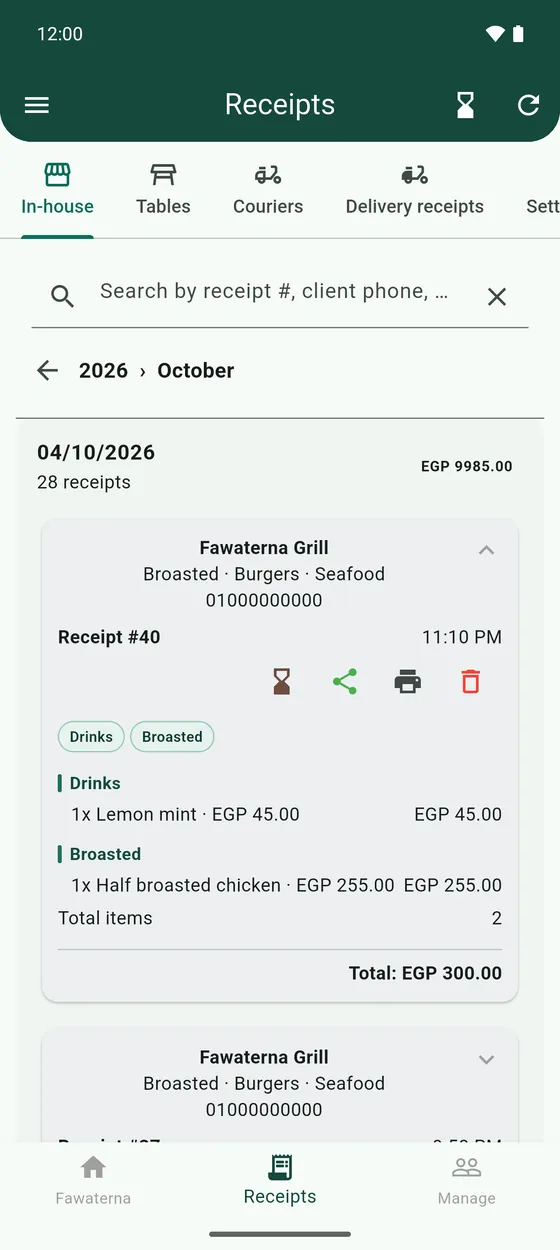
- Tap a year, then a month, then a day to open that day's receipts.
- Search at the top by receipt number, client phone or total.
- Tap a receipt to see its lines. It has buttons to move it to Debts, send it on WhatsApp, print it, and delete it.
- Press and hold a receipt to select several, then print or delete them together.