Settle up with couriers
Work out what each courier is owed for the day, and mark it paid.
A courier keeps a share of each delivery fee. You set the shop-wide share in App settings → Courier share of delivery, and you can give any courier their own rate in Manage → Couriers.
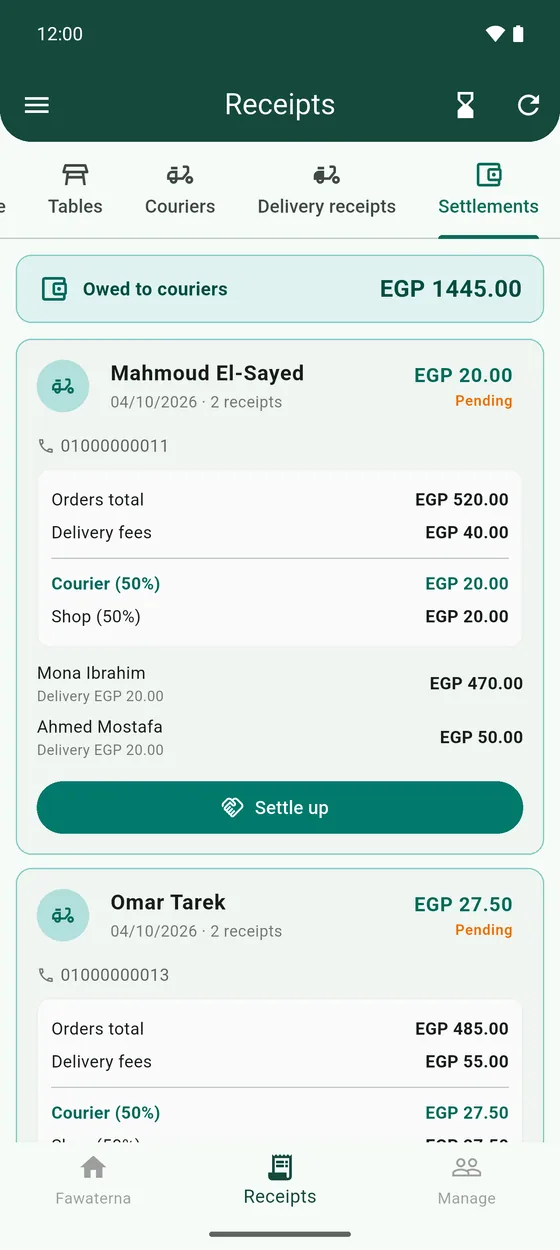
- Open Receipts → Settlements. Each card is one courier for one day.
- It shows the Orders total, the Delivery fees, the courier's share and the shop's share.
- Pay the courier, then tap Settle up and confirm.
- Made a mistake? Tap Undo settlement.
- Owed to couriers at the top shows what you still owe across all days.