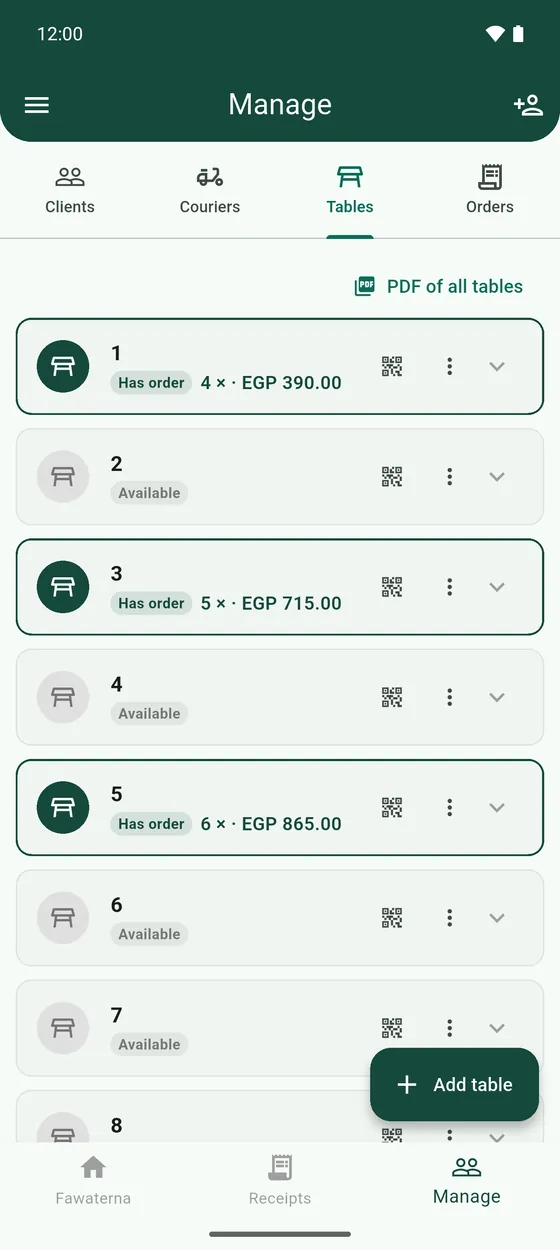
Tables
A running bill for each table that you add to until the customer pays.
For cafés and restaurants. Each table keeps its own open bill. You add orders as the customer asks for more, and settle up at the end.
- Open Manage → Tables and tap Add table. Name it, for example 1 or Terrace.
- On the register, build the order, open the current receipt and tap Tables. Choose the table and tap Add to table.
- Repeat when the customer orders more. Everything stacks on the same table.
- When they are ready to pay, open the table in Manage → Tables and tap Checkout. Choose the number of copies. The bill is printed and saved under Receipts → Tables, and the table is empty again.